
Choosing the right Capacitive Touch Screen is an important decision when developing an industrial device, medical system, POS terminal, smart home product, or other electronic equipment. The touch screen affects not only how users interact with a device but also its durability, display quality, responsiveness, and overall user experience.
With many types of touch screen technologies and LCD screen configurations available, selecting the right solution requires more than simply comparing screen sizes. Factors such as application environment, touch sensitivity, display performance, surface protection, operating conditions, and customization requirements should all be considered.
This guide explains the key factors to evaluate when choosing a capacitive touch screen for your application.
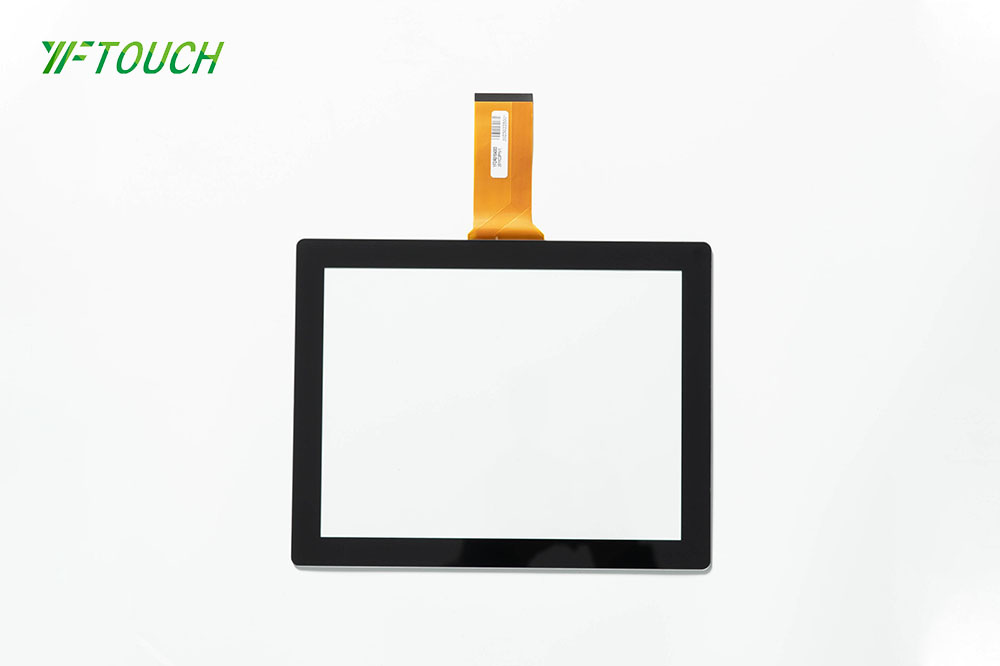
A capacitive touch screen detects touch through changes in electrical capacitance. When a finger or conductive object touches the surface, the electrical field changes, allowing the controller to determine the Touch Position.
Projected capacitive technology, often called PCAP, is one of the most widely used capacitive touch technologies. It supports accurate multi-touch operation and provides a smooth user experience.
Compared with older resistive touch technology, a capacitive touch screen generally offers better touch sensitivity, clearer optical performance, and a more modern user interface.
The first step is to understand where the touch screen will be used.
Different applications have very different requirements. A consumer electronic device used indoors may require a different solution from an industrial machine installed in a factory.
Common applications include:
Industrial control panels
Medical equipment
POS terminals
Smart home devices
Automotive displays
Vending machines
Kiosks
Navigation systems
Portable electronic devices
Commercial equipment
For industrial applications, the screen may need to operate reliably in environments with dust, moisture, vibration, temperature changes, or frequent user interaction.
Understanding the operating environment helps determine the required touch technology, glass structure, protection level, and component specifications.
The touch panel is only one part of the display assembly. The underlying LCD screen also plays an important role in the final product.
When selecting an LCD screen, consider:
Screen size
Resolution
Brightness
Viewing angle
Contrast ratio
Color performance
Interface
Operating temperature
Power consumption
For indoor equipment, standard brightness may be sufficient. Outdoor or high-brightness applications may require a higher-brightness LCD with improved visibility under strong ambient light.
The LCD and touch panel should also be properly matched to achieve good optical performance.
Not every application requires the same type of touch screen.
Projected Capacitive Touch Screens are suitable for applications requiring accurate touch input and multi-touch functionality. They are commonly used in modern industrial, commercial, medical, and consumer devices.
When evaluating a capacitive touch solution, consider:
Single-touch or multi-touch requirements
Finger or stylus operation
Glove operation
Required touch sensitivity
Touch controller compatibility
Response speed
Surface durability
If users need to operate the device while wearing gloves, the touch controller and sensor design should be specifically configured for glove touch rather than relying on a standard configuration.
Cover glass protects the touch screen from scratches, impact, and daily wear.
The appropriate glass thickness depends on the application.
For example, consumer electronics may prioritize a slim and lightweight design, while industrial equipment may require stronger glass for demanding operating environments.
Common considerations include:
Glass thickness
Tempered glass
Surface hardness
Anti-scratch performance
Edge treatment
Shape and dimensions
A thicker glass does not automatically mean a better touch screen. The touch sensor, controller, cover glass, and overall structure must be designed together to maintain reliable touch sensitivity.
Optical performance is especially important for products where display readability and image quality are critical.
A touch screen assembly may include several layers, such as the cover glass, touch sensor, adhesive, and LCD screen. Each additional interface can affect light transmission and reflections.
For high-end applications, Optical Bonding can reduce the air gap between the touch panel and LCD.
Benefits may include:
Better visibility
Reduced internal reflection
Improved contrast
Better touch feel
Reduced dust or moisture intrusion between layers
For outdoor or professional display applications, optical performance should be evaluated together with LCD brightness and surface treatment.
Durability requirements vary significantly between applications.
A touch screen installed on a factory machine may receive thousands of touches every day, while a consumer device may have completely different usage conditions.
Important durability factors include:
Surface hardness
Scratch resistance
Impact resistance
Touch lifetime
Temperature resistance
Humidity resistance
Vibration resistance
For industrial applications, it is important to evaluate the complete touch screen assembly rather than looking at the sensor alone.
Temperature can affect both the LCD screen and touch sensor.
If the device will be used outdoors, inside vehicles, in factories, or in other demanding environments, the operating temperature range should be confirmed before selecting components.
A suitable solution should be tested under the expected minimum and maximum operating temperatures.
This is particularly important for industrial equipment that may remain powered on for long periods.
The display and touch components need to communicate correctly with the main control system.
Depending on the application, common interfaces may include:
USB
I2C
SPI
HDMI
MIPI
LVDS
RGB
The correct interface depends on the host system, processor, operating system, and product architecture.
Before placing an order, engineers should confirm interface compatibility and communication requirements to avoid unnecessary redesign.
Many commercial and industrial products require a customized touch screen rather than an off-the-shelf model.
Customization may include:
Custom screen size
Custom cover glass shape
Rounded corners
Custom mounting holes
Printed logo
Silk-screen printing
Custom color
Anti-glare coating
Anti-fingerprint coating
Custom cable position
Customized touch controller
For OEM and ODM projects, the touch screen supplier should be able to review drawings, mechanical dimensions, electrical requirements, and application conditions before production.
Cost is another important factor when selecting a touch screen.
The final price can be affected by:
Screen size
LCD specifications
Glass thickness
Touch sensor structure
Optical bonding
Surface treatment
Custom tooling
Touch controller
Order quantity
Testing requirements
For small-volume projects, a standard configuration may provide better cost efficiency. For larger OEM projects, customized components can provide better integration and long-term product consistency.
Therefore, the cheapest touch screen is not always the most cost-effective solution. A better approach is to compare total product performance, reliability, customization, and production cost.
When selecting a touch screen, it is also useful to compare capacitive technology with other solutions.
| Feature | Capacitive Touch Screen | Resistive Touch Screen |
|---|---|---|
| Touch sensitivity | High | Moderate |
| Multi-touch | Supported | Generally limited |
| Finger operation | Excellent | Good |
| Glove operation | Configuration dependent | Good |
| Surface experience | Smooth | More pressure dependent |
| Optical performance | Excellent | Generally lower |
| Typical applications | Modern devices, industrial equipment, POS, medical equipment | Industrial equipment, legacy systems, specialized applications |
The best technology ultimately depends on the specific application rather than simply choosing the newest technology.
Before selecting a supplier or finalizing a design, it is useful to create a clear specification sheet.
At minimum, define:
Screen size
LCD resolution
LCD brightness
Touch technology
Number of touch points
Cover glass thickness
Surface treatment
Operating temperature
Interface
Product dimensions
Mounting requirements
Expected production quantity
Providing these specifications allows suppliers to recommend a more suitable touch screen configuration and provide a more accurate quotation.
For OEM and ODM applications, choosing a manufacturer with strong customization capabilities can simplify the development process.
An experienced manufacturer can help coordinate the LCD screen, touch sensor, cover glass, controller, optical bonding, mechanical structure, and testing requirements.
This can reduce compatibility issues and make it easier to develop a complete display solution based on the customer's application.
For projects with special requirements, it is also useful to request a prototype or sample before moving to mass production. This allows engineers to evaluate touch sensitivity, display quality, mechanical fit, and compatibility with the final device.
Choosing the right capacitive touch screen requires more than selecting a screen size. The application environment, LCD performance, touch sensitivity, cover glass, optical bonding, durability, operating temperature, interface, customization requirements, and production volume should all be considered.
For OEM and industrial applications, working with an experienced manufacturer can help ensure that the touch screen and LCD screen are properly matched to the final product.
By defining your technical requirements clearly and testing the proposed solution before mass production, you can select a capacitive touch screen that provides reliable performance, good user experience, and long-term value.
```
Copyright © 2026 Dongguan Yuefeng Optoelectronics Co., Ltd All rights reserved.


